Knows your hardware
Detects Apple Silicon, NVIDIA and AMD GPUs, shows memory in use, and tells you which models fit before you download them.

Temper runs, fine-tunes and ships open-weight AI models on your own computer. Your data stays with you.
For macOS, Windows and Linux. Free and open source.
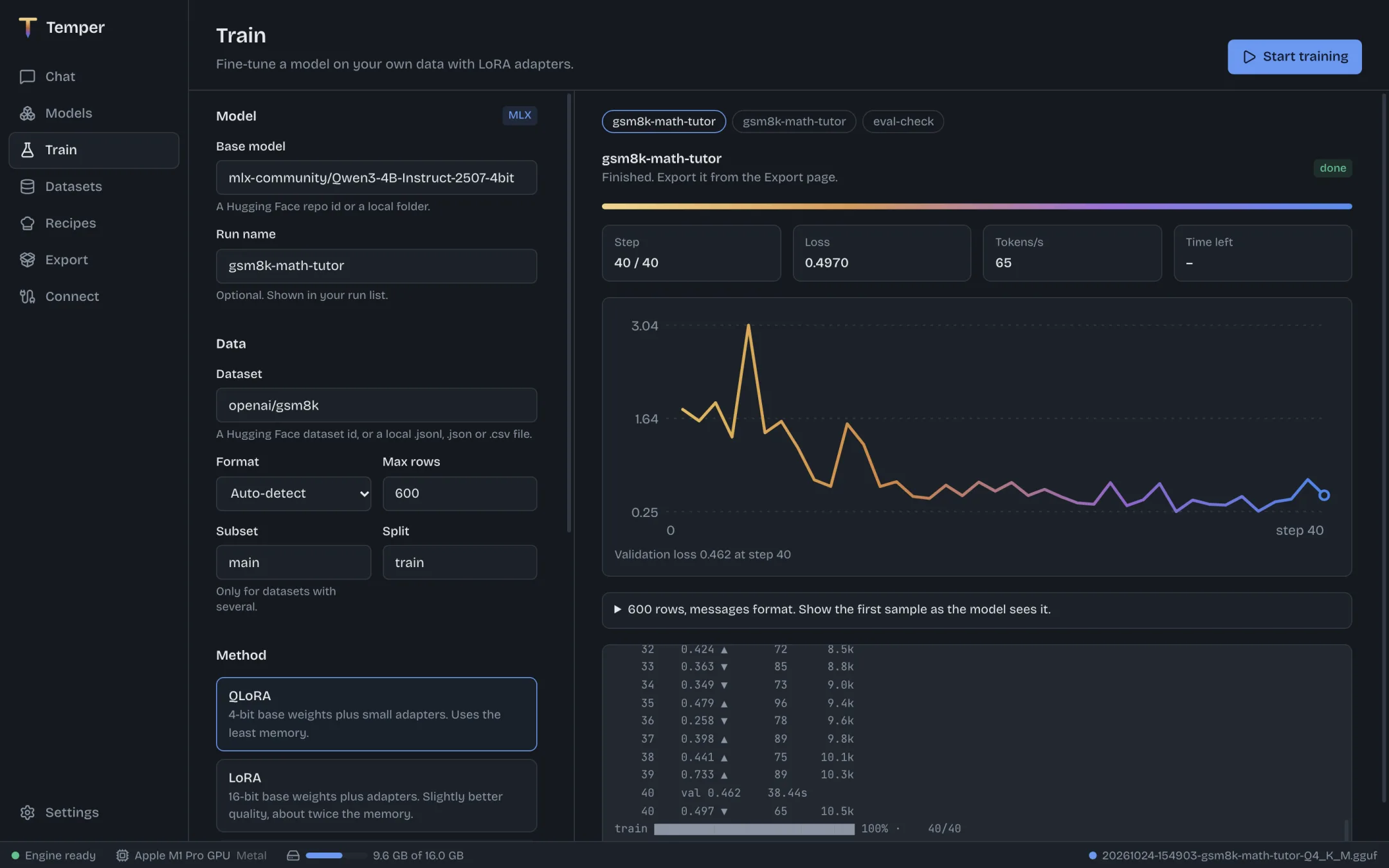
Chat
Find Qwen, Llama, Gemma, Mistral and thousands more on Hugging Face. Temper checks which quantization fits in your memory, downloads it in the background, and runs it with llama.cpp on Apple Silicon, NVIDIA and AMD.
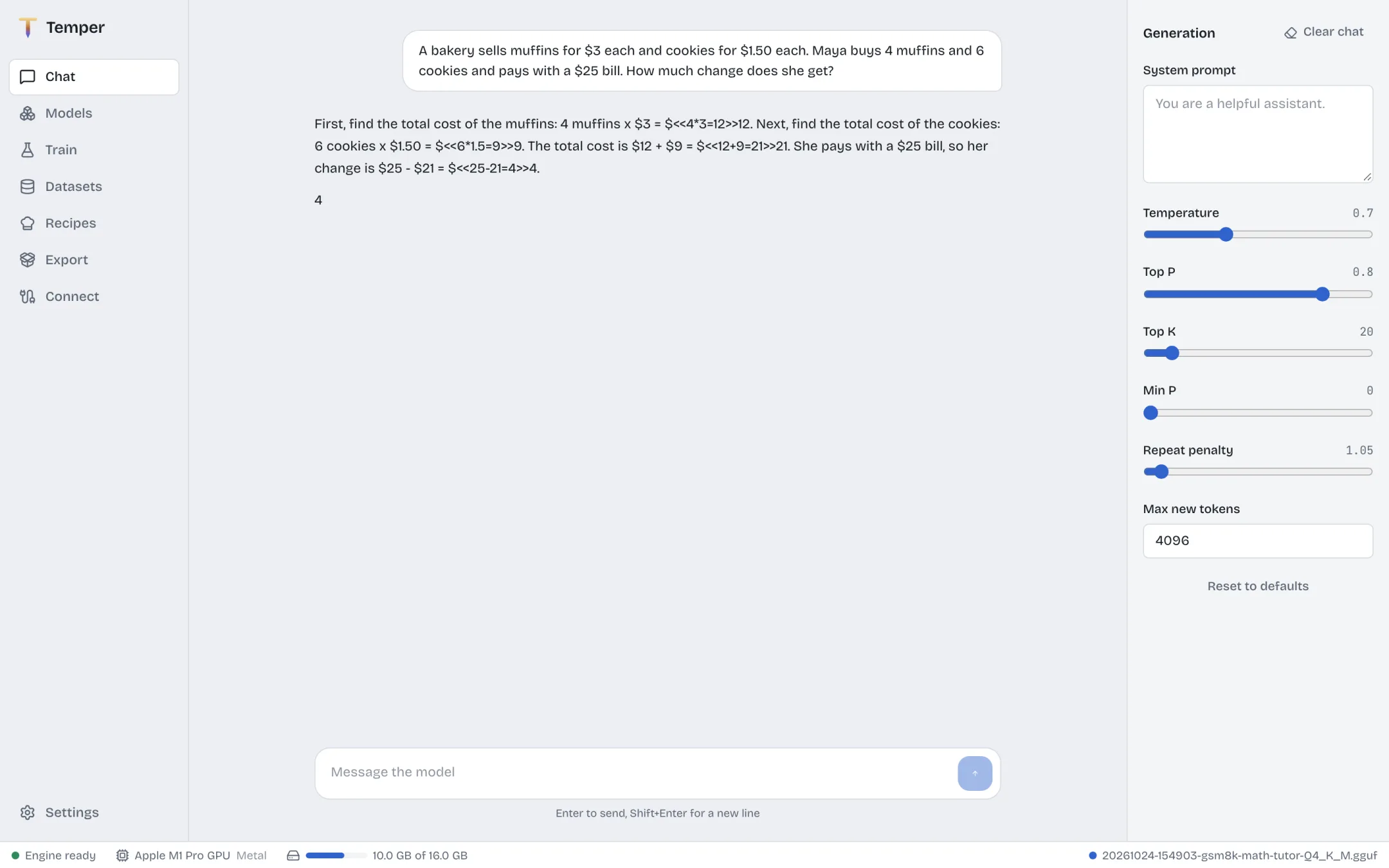
Train
Pick a base model and a dataset, and press Start. On a Mac, Temper trains LoRA adapters with Apple's MLX. On NVIDIA and AMD GPUs it uses PyTorch with LoRA, QLoRA or full fine-tuning. Loss, validation loss and time left update as it runs.
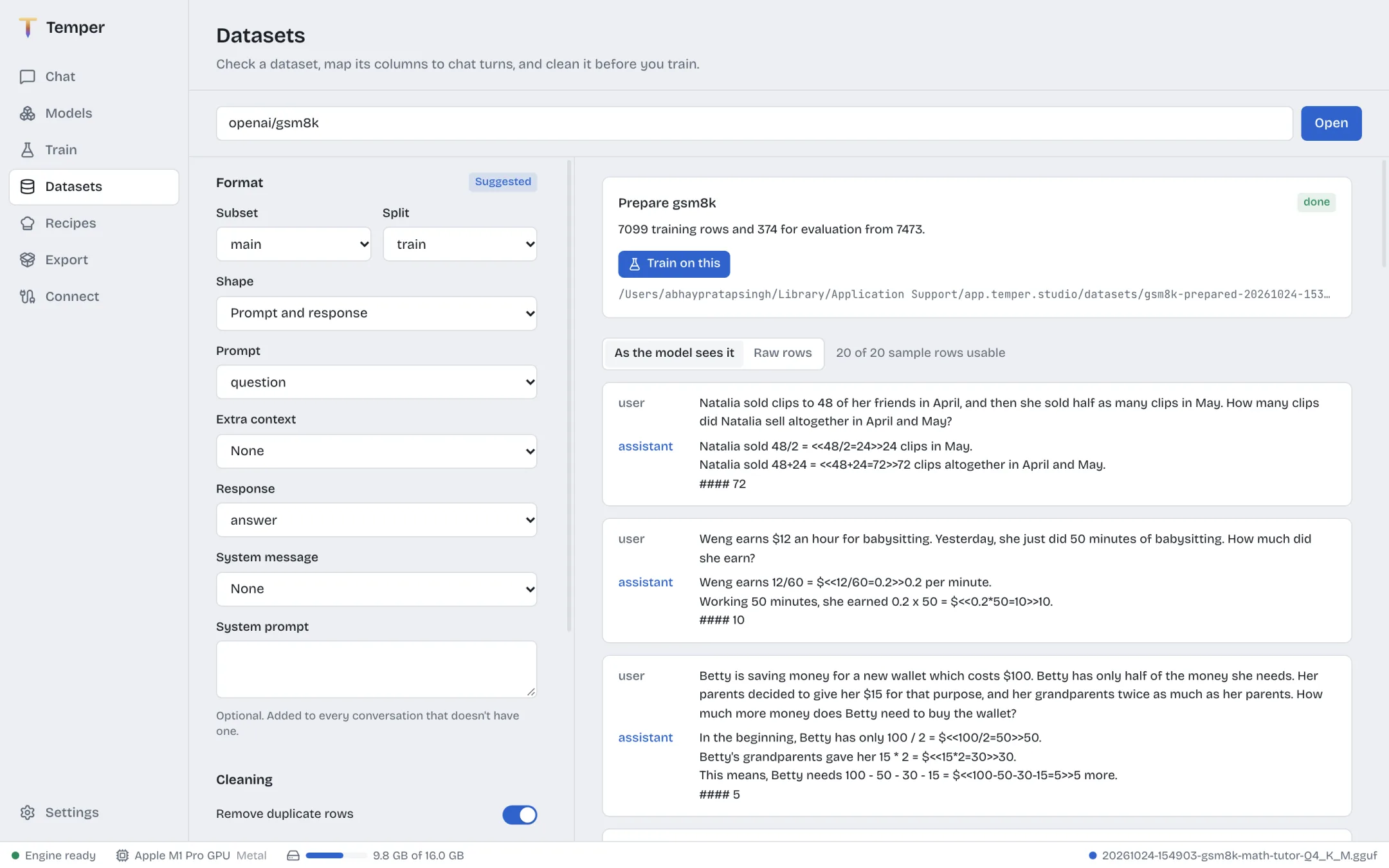
Recipes
Point a recipe at PDFs, Word files, web pages or a GitHub repository. A model writes grounded questions and answers, code with linting, or graded replies, row by row. Preview three rows, then generate thousands and train on them in one click.
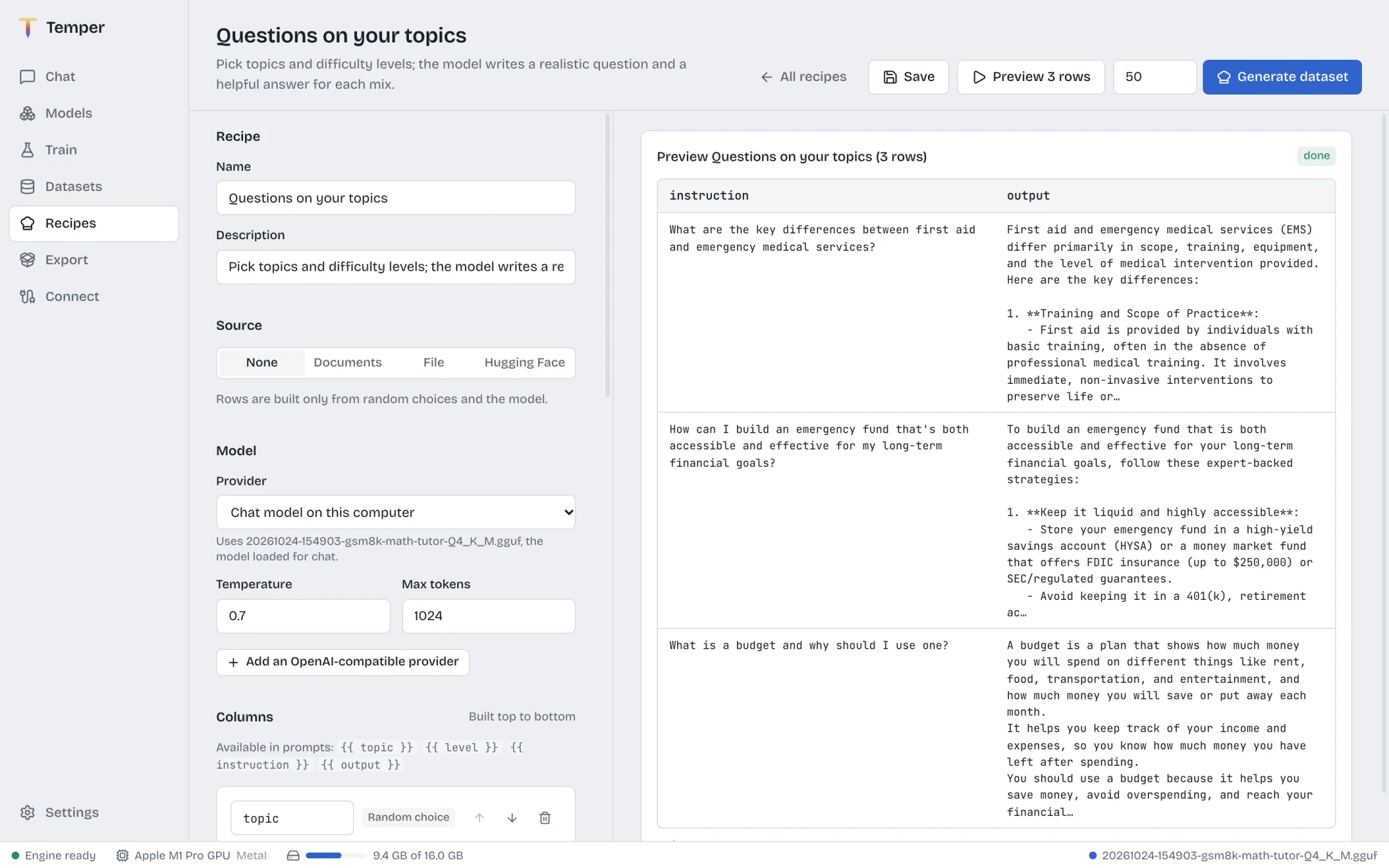
Datasets
Open any Hugging Face dataset or local file, map its columns to chat turns, and read each row as a conversation before you spend an hour training on it. Remove duplicates, filter by length and hold out an evaluation split in the same place.
Export
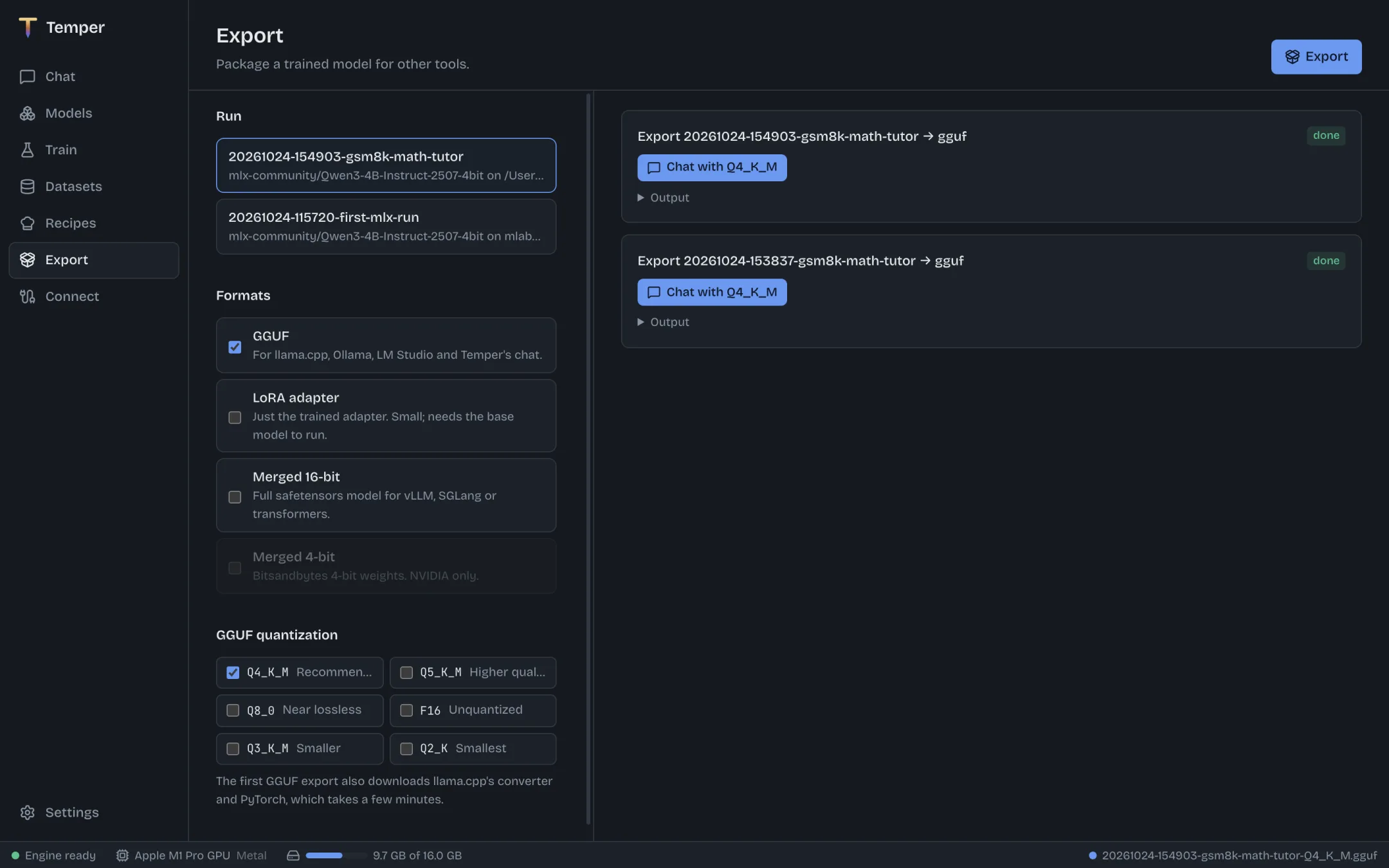
Merge your adapter and export GGUF in the quantization you need, for llama.cpp, Ollama and LM Studio. Chat with the result one click later, or serve it to coding agents through an OpenAI-compatible API.
Detects Apple Silicon, NVIDIA and AMD GPUs, shows memory in use, and tells you which models fit before you download them.
The first launch installs Python and the engine for you, about 150 MB for chat or 600 MB with training on a Mac. Nothing to configure.
Every tool Temper downloads is pinned to an exact version and checked against its SHA-256 checksum before it runs.
Ready-made settings for Codex, OpenCode, Continue and Aider, plus Python and curl examples for your own scripts.
Long training runs and exports keep your computer from going to sleep until they finish, then let it rest.
Apache-2.0. Read the code, file an issue, or build it yourself from the repository.
Free for macOS, Windows and Linux.
Or install from a terminal
curl -fsSL https://temper.devops-monk.com/install.sh | sh
irm https://temper.devops-monk.com/install.ps1 | iex
Temper is an early preview. Installers are published on GitHub Releases and are not code-signed yet, so your system will ask you to confirm the first launch. Release notes explain how.